Next Forge (ZX Spectrum Next)
A downloadable tool
What it is
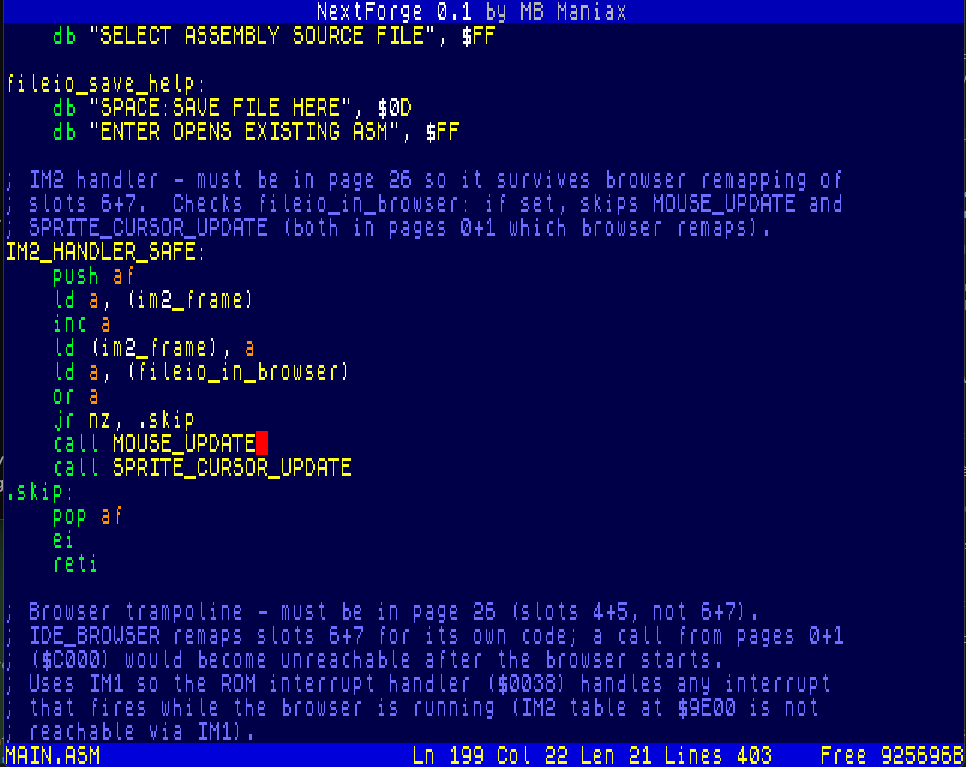
NextForge is a development environment for the ZX Spectrum Next. The goal is to build a comfortable 80-column editor, assembler, project workflow and eventually a monitor/debugger that run directly on the Next. The project is still in development, but it is already usable as an experimental editor for assembler source files.
What it is for
- writing and editing Z80/Z80N assembler directly on the ZX Spectrum Next,
- working in an 80-column layout instead of the classic 32-column screen,
- testing the workflow for a future native assembler and debugger,
- carrying the spirit of Prometheus forward on a cleaner Next-oriented foundation.
Current features
- fullscreen 80-column editor using the ZX Spectrum Next tilemap mode,
- cursor movement, text entry, deletion, Enter, Tab and line/page scrolling,
- basic syntax coloring for assembler source files,
- loading and saving
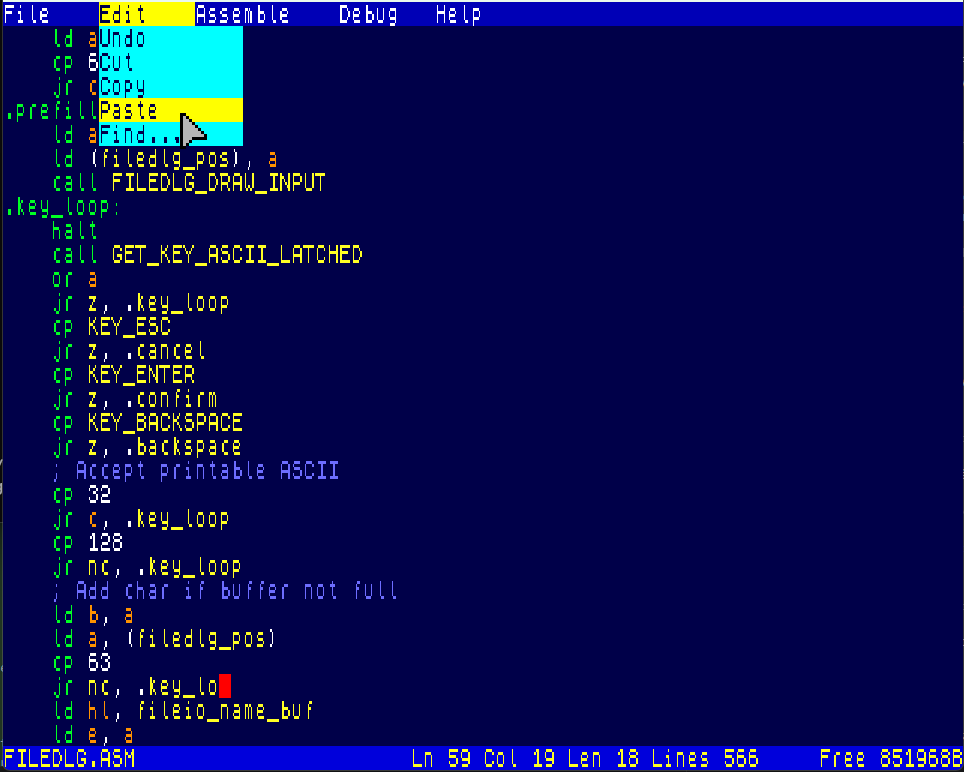
.ASMfiles through NextZXOS/esxDOS services, - File, Edit, Assemble, Debug and Help menus with keyboard and mouse control,
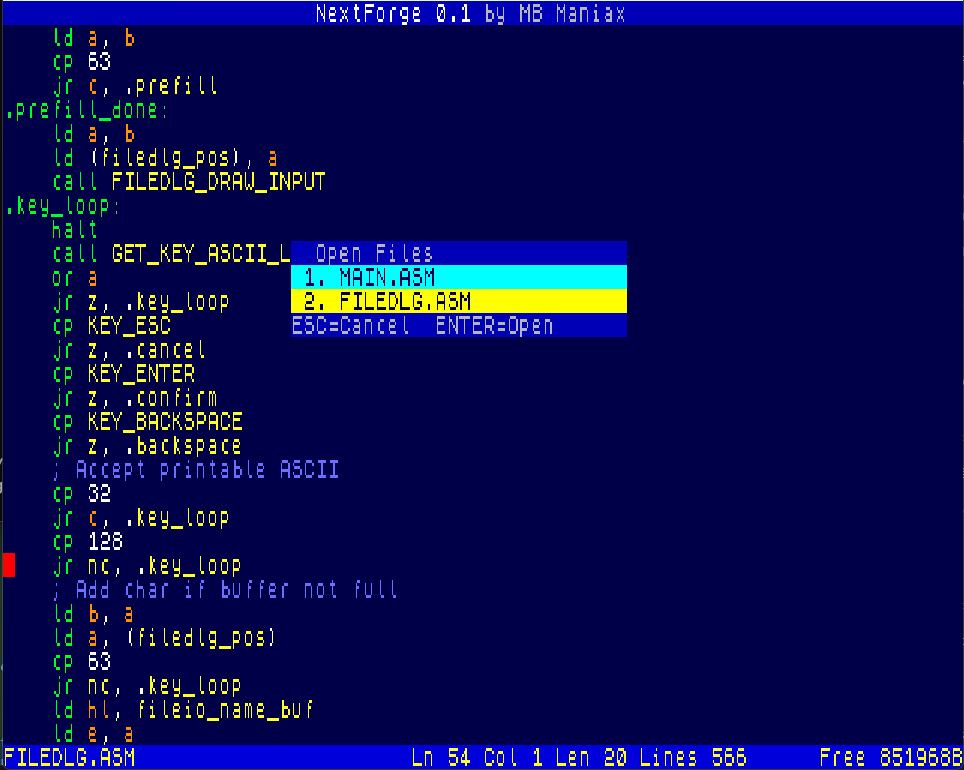
- open-file list and switching between loaded file slots,
- block operations: mark, copy, cut, paste and select all,
- search across open files,
- go to definition for the symbol under the cursor,
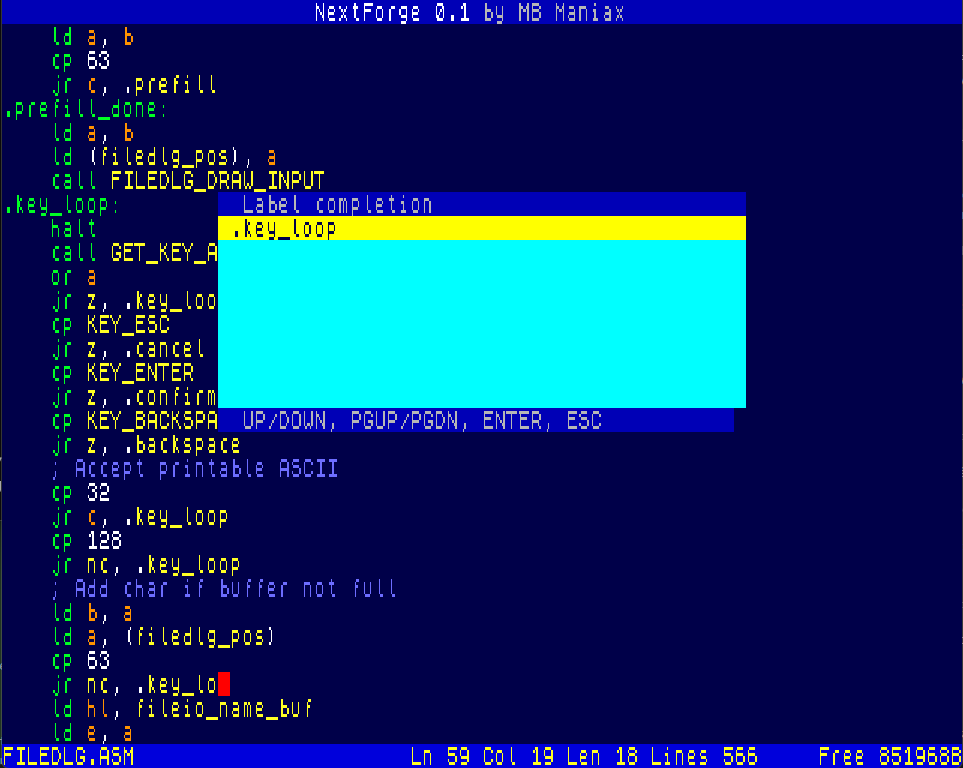
- label completion from the current prefix,
- basic mouse support including menu hover/click and editor wheel scrolling,
- build output as an experimental
NEXTFORGE.NEXprogram.
Controls
| Key / combination | Action |
|---|---|
| Cursor keys / Kempston cursor | Move the editor cursor. |
| Page Up / Page Down | Scroll one page up or down. |
| Enter | Insert a new line, confirm a dialog or open the selected file in the browser. |
| Tab | Insert assembler-friendly indentation. |
| Backspace | Delete the character to the left of the cursor. |
| Delete / Graph | Delete the character under the cursor. |
| Break / Esc | Cancel a dialog or leave the current action. |
| Ext Mode + 0 | Open the top menu. |
| Ext Mode + O | Load / open a file. |
| Ext Mode + S | Save the current file. |
| Ext Mode + E | Save As / save under a new name. |
| Ext Mode + W | Close the current file. |
| Ext Mode + C | Copy the selected block. |
| Ext Mode + X | Cut the selected block. |
| Ext Mode + V | Paste from the block clipboard. |
| Files key / Ext Mode + 1 | Open the loaded-files dialog. |
| Symbol Shift + F | Find text. |
| Symbol Shift + Enter | Go to the definition of the symbol under the cursor. |
| Caps Shift + Enter | Complete a label from the current prefix. |
| Mouse | Hover and click in menus/dialogs, use the wheel to scroll the editor. |
Planned work
- finish the 80-column editor and add more editing comfort,
- add a two-pass assembler,
- support labels, expressions,
org,equ,defb,defw,defs, comments and strings, - add
include,incbin, local labels and simple macros, - extend the instruction tables for Z80N and ZX Spectrum Next opcodes,
- add Next-specific pseudo commands for MMU and banked memory layout,
- export binary output and
.NEXfiles, - add project settings: output name, entry point, stack and required banks,
- port the Prometheus monitor/debugger workflow to the new 80-column backend,
- add disassembly, memory views, registers, breakpoints and Next instruction support.
Project status
NextForge is a work in progress. The current build is mainly an editor foundation and a testbed for the next stages of development. Some menu items are placeholders for future functionality.
<style> body { font-family: Arial, sans-serif; line-height: 1.55; max-width: 900px; margin: 0 auto; padding: 24px; color: #222; background: #fff; } h1, h2 { color: #111; } h1 { margin-bottom: 0.2em; } .subtitle { font-size: 1.1em; margin-top: 0; } code { background: #eee; padding: 2px 5px; border-radius: 3px; } table { border-collapse: collapse; width: 100%; margin: 1em 0; } th, td { border: 1px solid #ccc; padding: 8px; text-align: left; vertical-align: top; } th { background: #f2f2f2; } </style>Download
Click download now to get access to the following files:
Development log
- The built-in assembler is starting to come alive56 days ago
Comments
Log in with itch.io to leave a comment.
this is great work. PLEASE consider adding something smilar for next basic.
This is really agreat project, kindly ask if possible to fork this with a text editor for non developers?