NextIRC 1.3 (ZX Spectrum Next)
A downloadable tool
NextIRC is an IRC client for the ZX Spectrum Next.
The goal of the project is to bring a usable, real IRC client directly to the Next, not just as a technical demo, but as a practical communication tool running on real hardware.
NextIRC connects to IRC servers through the ZX Spectrum Next WiFi interface, communicates with the ESP module using AT commands, opens a TCP connection, registers a nickname, joins channels, sends and receives messages, and automatically responds to PING/PONG requests to keep the connection alive.
Current features
- Runs as a .NEX program
- Switches the ZX Spectrum Next to 28 MHz mode
- Uses a 40x32 tilemap text interface
- Connects through the built-in WiFi interface
- Includes a startup configuration wizard for server, WiFi and IRC setup
- Supports IRC server connection over TCP
- Sends NICK and USER registration commands
- Supports joining and leaving channels
- Supports public channel messages and private messages
- Automatically replies to IRC PING requests with PONG
- Supports CTCP VERSION, PING and TIME replies
- Supports multiple open IRC windows
- Window picker for switching between active IRC windows
- Separate windows for private messages
- Urgent notifications for private messages and mentions in inactive windows
- Per-window scrollback with larger history stored in MMU banks
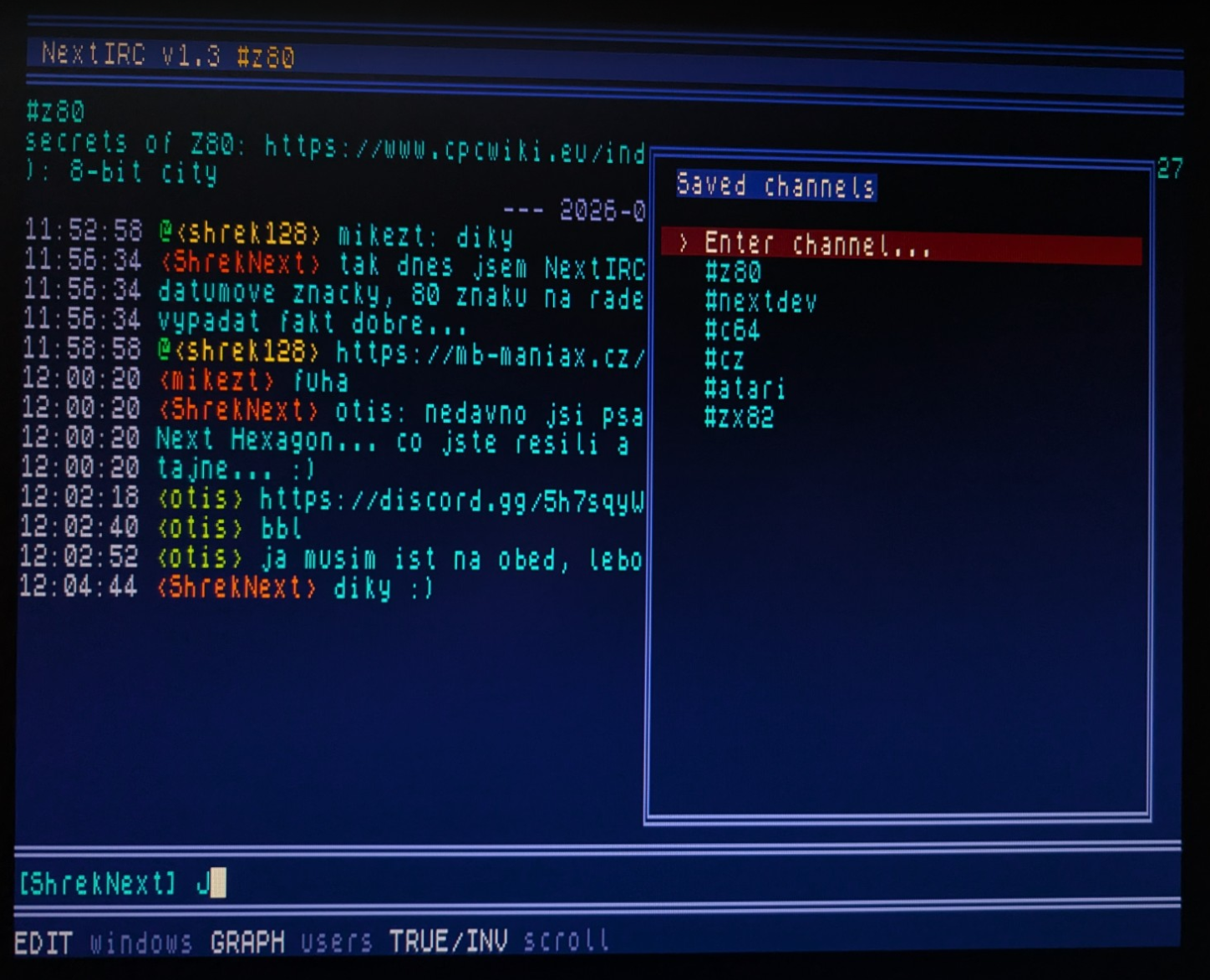
- Saved channel picker
- Saved channel deletion
- Input history
- Preserves the current draft while browsing input history
- Improved input editing and keyboard handling
- Inverted cursor for clearer text input
- Colored nicknames with stable nickname colors
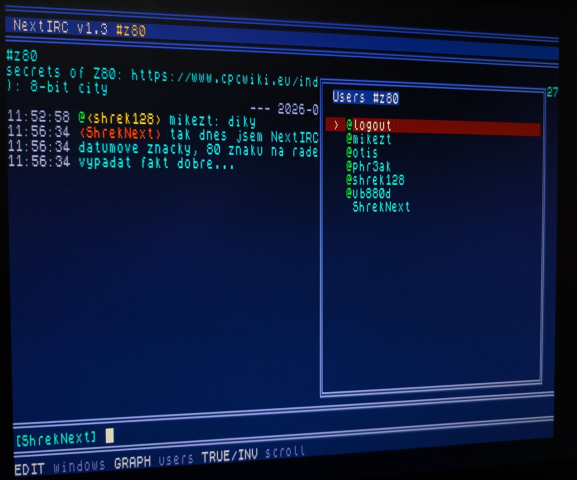
- GRAPH user picker for channel nicknames
- User picker support for nick changes and operator users
- Nickname insertion from the user picker into the input line
- Supports
/meactions - Improved wrapping of normal messages and action messages
- Improved highlight attributes, frames and overlay menu behavior
- BREAK disconnect confirmation to prevent accidental disconnects
- Basic configuration saving and loading
Supported commands
/join #channel- join a channel/part [#channel]- leave the active or selected channel/msg nick message- send a private message/me action- send an IRC action message/nick newnick- change your nickname/server host [port]- connect to another IRC server/names [#channel]- request the list of users in a channel/nextand/prev- switch between open windows/quit [message]- disconnect from the IRC server/help- show basic help
Status
NextIRC is currently in development, but it is already usable as a real IRC client on the ZX Spectrum Next. Version 1.2 focuses on first-run setup, everyday usability, multi-window chat, input handling, scrollback, notifications and IRC compatibility.
The core IRC functionality is working. The program can connect to a server, join channels, exchange messages, handle private messages, maintain the connection, respond to IRC and CTCP requests, and work with multiple chat windows. Recent versions also improved message routing, JOIN handling, NAMES parsing, RX buffering and post-registration flow, so messages are routed more reliably to the correct windows.
The user interface is still intentionally simple, but it is becoming more comfortable to use. The new startup wizard makes the first setup easier, saved channels make repeated connections faster, the window picker makes multi-window use more practical, and per-window scrollback keeps message history separated by channel or private conversation.
Requirements
- ZX Spectrum Next
- Working WiFi configuration or WiFi credentials
- Access to an IRC server
Notes
This is still a developing project, so expect rough edges. Some parts of the interface, setup flow and internal behavior may change in future releases.
NextIRC is being developed as a practical tool for the ZX Spectrum Next community and as another example of what the machine can do when pushed a little further.
Download
Click download now to get access to the following files:
Leave a comment
Log in with itch.io to leave a comment.