NXPaint
A downloadable game
NXPaint
In development
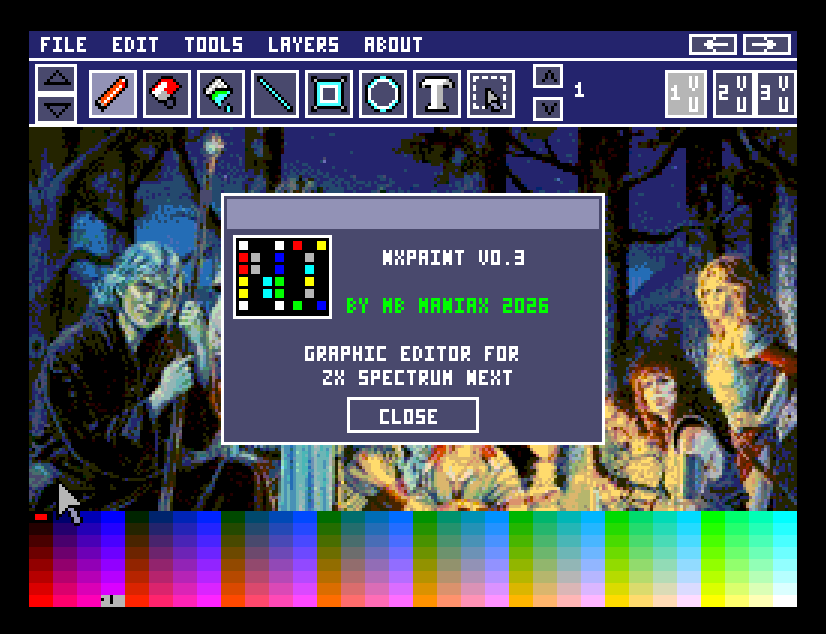
A pixel art editor for the ZX Spectrum Next, built as a practical drawing tool for game graphics, screens, icons, sprites, and UI elements.
You can also try the current development version. Please keep in mind that it is still a work in progress, so some features may be incomplete, change over time, or behave unexpectedly.
Do not forget to follow the development log here on itch.io. I will be posting updates, progress notes, and new feature information there.
About the project
NXPaint is a graphics editor focused on comfortable work with indexed pixel art. The goal is to provide a fast, clean, and native-feeling editor where you can draw directly without constantly switching to large PC graphics tools.
The application is still in development, but it already includes a solid foundation for everyday drawing, layer-based editing, image composition using transparent pixels, NXI file handling, and mouse-driven work directly on the Next.
Current features
Native ZX Spectrum Next editor
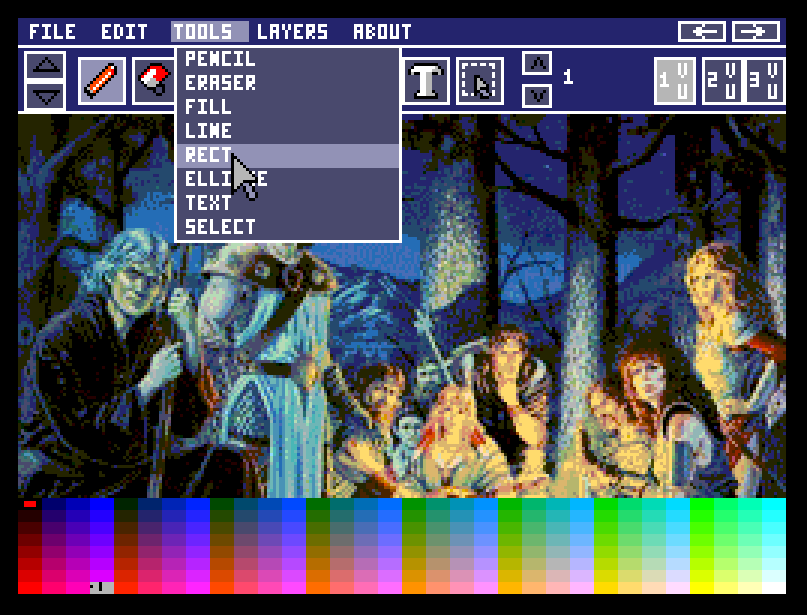
Runs as a NEX application with a Layer 2 desktop, toolbar, menu bar, file dialogs, and hardware mouse cursor support.
Pencil tool
Freehand drawing on the canvas with immediate response and smooth strokes between points.
Eraser
Erase pixels using the transparent color, allowing lower layers to show through again.
Flood fill
Quickly fill connected areas with the currently selected color.
Line, rectangle, ellipse
Basic shape tools with live preview while dragging and final placement when released.
Text tool
Place text directly on the canvas, edit it before committing, move the preview, and adjust text scale and angle.
Brush size from 1 to 8 px
Adjustable drawing thickness for the pencil, eraser, and shape tools.
Undo and redo
Undo and redo buttons are available in the top bar, backed by an 8-slot layer history.
Layers
Three working layers with active-layer selection, visibility control, and locking.
Transparent pixels
Color 0 acts as transparent during layer composition, making overlays and edits easier to manage.
Color palette
A fast 256-color bottom palette for selecting primary and secondary colors with the mouse.
Zoom and canvas panning
The canvas supports 1x, 2x, 4x, and 8x zoom with mouse-wheel zooming around the cursor, plus view scrolling for larger work.
NXI open and save
Open and save NXI files through the NextZXOS browser. Current raw NXI import supports 256 x 192 image data, including the 512-byte 9-bit Layer 2 palette variant.
Palette-aware NXI import
NXI files with embedded palettes are loaded with their image colors while keeping reserved editor UI colors stable.
K-Mouse control
The editor is designed around Kempston/K-Mouse input, including left and right button color selection and mouse-wheel zoom.
Menus and dialogs
File, Edit, Tools, Layers, and About menus are present, with working Open, Save, Undo, Redo, tool selection, About, and save-name dialogs.
Current state
NXPaint is an actively developed project. The editor core already exists, the drawing tools are usable, and NXI load/save support is now part of the working development build. Some menu entries and advanced workflows are still placeholders and may change based on testing.
Planned next steps: expanded area selection tools, more complete layer operations, deeper palette editing, export improvements, and more pixel art workflow features.
Download
Click download now to get access to the following files:
Development log
Comments
Log in with itch.io to leave a comment.
"In the near future, I would like to add loading and saving files to the SD card, but you will definitely read more about that later on itch.io."
.. so where are pics saved now ?
I'm working on it right now... ;)
OK, heh !
Actually, the first version with NXI save/load is already out... you can download it and give it a try ;)
thanks, bazillion hours spended with Art Studio on ZX48.
I've managed to loading the NXI file to the NXPaint... now I just need to save it. ;)